
Content note: this page was written by Claude (AI) for Pensacola Locksmith.
Why small businesses consider electronic access
Keys are simple, but they have limits. A key cannot be turned off remotely, a lost key means rekeying, and nobody knows who used a door yesterday. For a shop with a handful of employees, those limits are manageable. For an office with part-time staff, a warehouse with contractors or a clinic with after-hours cleaners, they start to hurt.
Electronic access addresses those problems by replacing the key with something that can be switched on and off: a code on a keypad, a card or fob, or a phone credential. When an employee leaves, you remove their credential in a few minutes instead of changing locks. When someone needs temporary entry, you create a code that expires.
It is worth being honest about what it does not do. Electronic access does not make a weak door strong, and it does not remove the need for sound habits. A card left on a counter works for anyone who picks it up. The technology is a good tool for the right setting, not a cure for every security worry.
The parts of a typical small system
Most systems have four basic parts. The credential is what a person presents: a code, card, fob or phone. The reader or keypad receives it. The controller, a small electronic brain, decides whether to allow entry. And the lock hardware, such as an electric strike, a magnetic lock or an electrified lever, physically releases the door.
Between these sit power supplies, wiring and often a request-to-exit device that unlocks the door from the inside. Some systems keep these parts in a single unit on the door, which is simpler for one or two doors. Others use a central controller with readers at each door, which is better for multiple openings and shared rules.
Software ties it together. At the simplest level, it may be a small keypad menu. For larger setups, it is an application where you add users, set schedules and review logs. A good installer explains how the system will be administered day to day, because the best hardware is frustrating if nobody knows how to change a code.
Keypads: simple, familiar and easy to misuse
A keypad lock accepts a numeric code. It is the easiest form of access to understand, and many small businesses start there. There are no cards to lose and nothing to carry. Staff just remember a number, and the owner can change it when needed.
The weak point is human behavior. Shared codes spread. A code written on a sticky note, told to a friend, or reused for months loses its value. Keypad wear can also reveal frequently pressed digits. Systems that support individual codes for each person are much better, because you can remove one person without disturbing the rest.
Keypads work well for back rooms, storage, small offices and doors where the number of users is low. They are less suited to situations that need strong accountability, since a shared code cannot say who entered. If you value logs, choose a keypad system that supports user-specific codes and records each entry.
Cards, fobs and phone credentials
Card and fob systems use a small token that is held near a reader. They are quick, comfortable and common in offices and multi-tenant buildings. Each token can be assigned to a person and canceled if lost, which is a major advantage over a physical key.
Cards come in different technologies, and not all are equally secure. Older types are simple and inexpensive but easier to copy. Newer encrypted formats resist cloning much better. When choosing a system, ask which technology it uses and whether it can be upgraded later, so you are not trapped with a dated format.
Phone credentials are increasingly available, letting an employee unlock a door with a phone app. They are convenient but depend on phone batteries, signal and software updates. Many businesses keep a card or code option as backup. Whichever way you go, plan how new users are added, how lost credentials are handled and who holds the administrator role.
Locking hardware: strikes, magnetic locks and electrified levers
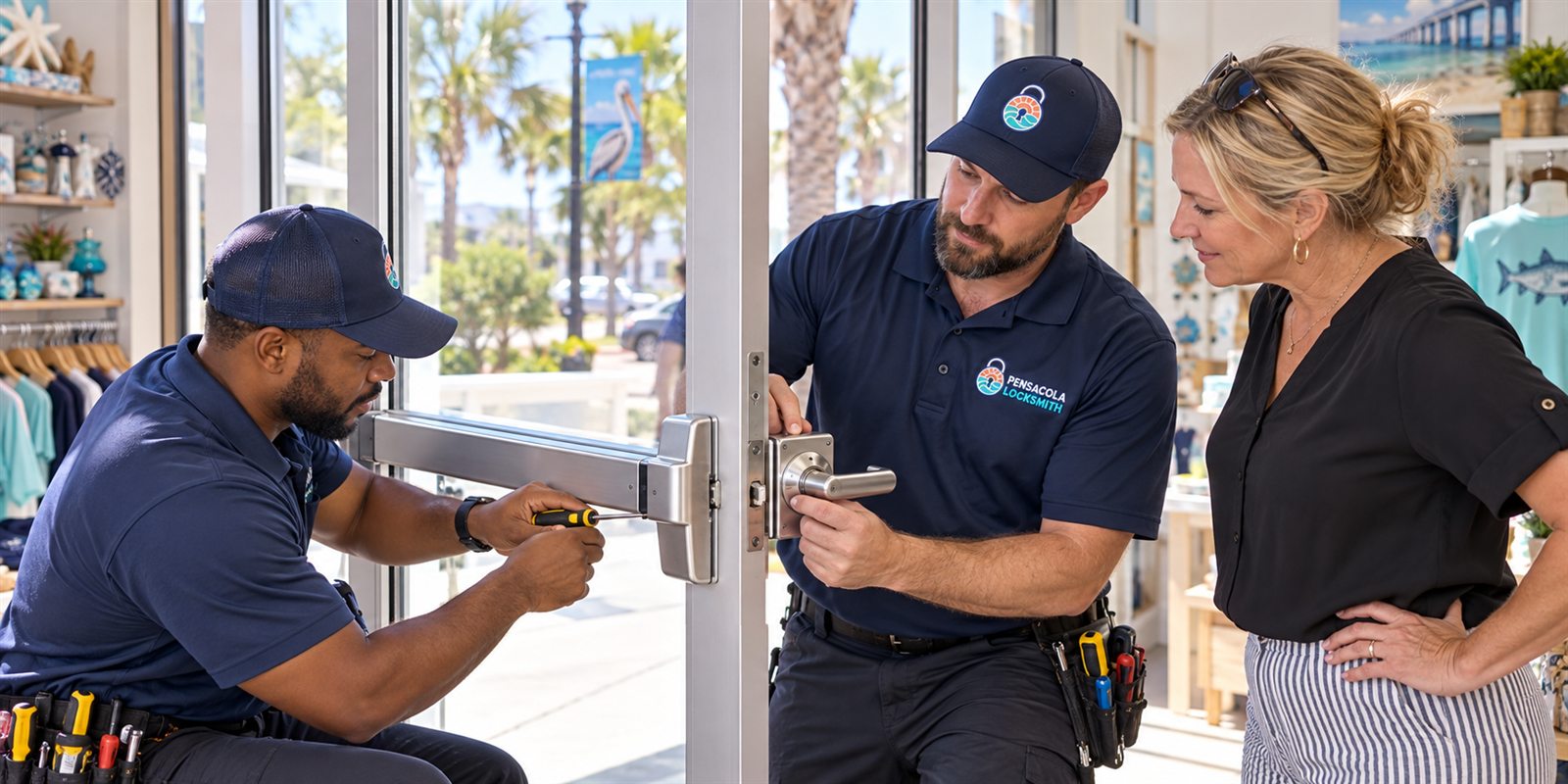
The electronic part only decides; the door hardware does the holding. An electric strike replaces the standard strike plate and releases the latch when powered. It works with a mechanical lock, so the door still has a normal key option. It is neat, relatively discreet and widely used on storefronts and offices.
A magnetic lock uses a powerful electromagnet and a metal plate to hold a door closed. It is strong and has no moving parts, but it requires continuous power and must be wired carefully with safe release arrangements. Because it holds a door shut, it must always release for exit, including during power loss, according to local code.
Electrified levers and mortise locks combine the handle and the electric function in one unit. They suit doors where a clean look and simple operation matter. Choice depends on door material, frame type, the need for fire rating and how the door is used. The technician inspects the opening before suggesting hardware.
Safety and code: exits must always work
The most important rule of access control is that people must always be able to leave. A door that restricts entry may never trap people inside. In practice that means the inside handle, push bar or exit device must release the door without a card, a code or power, depending on the situation and the local rules that apply.
Fire safety and building codes govern how doors on exit routes can be locked. Some doors require panic hardware, fail-safe behavior and compliance with local inspection. Because requirements vary, businesses with larger spaces, public access or fire-rated doors should speak with the relevant local authority or building official as part of planning.
We design our suggestions so that egress remains easy and obvious. Where a request would compromise safe exit, we say so and offer alternatives. Backup power, a manual override key and clear signage are all part of a responsible installation, and none of them are optional extras when people depend on the door.

Power, weather and the realities of Gulf Coast conditions
Electronics and salt air do not mix well. Outdoor readers and keypads on entrances facing the water need weather-rated housings and sealed connections. Condensation, corrosion and sand can shorten the life of cheaper units. Putting equipment under cover, using stainless or coated hardware and sealing cable entries pays off.
Power matters too. Storms bring outages, and a system with no backup can leave a door stuck locked or unlocked depending on its design. A small battery backup keeps the controller and lock running for a period. Understanding whether a door is fail-secure or fail-safe tells you what happens when the power goes out, and it should match how the door is used.
Network-connected systems depend on internet and router stability. If your business needs the system to work during outages, choose hardware that stores credentials locally and continues to operate offline. Cloud features can be handy for remote changes, but they should not be the only way the door can function.
Questions to settle before you buy anything
Begin with who needs to go through which doors and when. A simple list of roles, doors and hours shapes the whole system. Do you need schedules, such as cleaners only in the evening? Do you need a record of entries? Do some doors need stronger control than others? Clear answers keep you from paying for features that go unused.
Next, decide who will manage the system. Someone must add and remove users, review events and handle problems. If that person is the owner, make sure they are comfortable with the software. If a manager or outside provider will do it, define the responsibility in writing. Systems fail more from neglect than from technology.
Finally, think about growth and exit. Will you add doors later? Could you move to a new space? Choosing a system that expands in steps and uses standard parts avoids a complete rebuild. Ask what happens if a manufacturer stops supporting a product, and whether the equipment can be reused or reprogrammed.
What the installation looks like
The process starts with a survey. The technician examines each door, the frame, the wall for wiring routes, the available power and the location of the reader. Door material, glass panels and existing hardware are noted. Many small jobs can be done on standard wood, steel or aluminum doors with minimal modification.
Installation involves mounting the reader, installing the lock hardware, running low-voltage cable, connecting the controller and power supply, and programming the first set of users. Every function is tested: reader, release, exit device, door position, battery backup and the behavior on loss of power. Documentation of user settings is left with the owner.
Before any work, the locksmith confirms you own or are authorized to alter the premises. For leased space, landlord permission may be required. If a job is large or involves several doors, a technician visits to survey and the service call charge is explained before dispatch. Quotes for simple, well-described jobs are given by phone.
Keeping a system healthy over time
An access system needs light but regular attention. Review the user list every few months and remove people who no longer need entry. Replace batteries in keypads and fobs on a schedule rather than waiting for a failure. Test the manual override key and keep it in a secure place. Clean readers gently with a soft cloth.
Plan for changes in staff and in the business. When someone leaves, remove their credential the same day. When you add a door, ask the installer whether the controller has room. When you notice a door that sometimes fails to unlock, report it early, since a loose wire or failing power supply is much easier to fix before it fails fully.
Mechanical locks still matter. Many systems keep a keyed override on the door, and its cylinder should be kept in good condition. We can service both the electronic and mechanical sides of a door. Please call us to describe your doors and your goals, and to confirm availability for your location in Pensacola or Escambia County.
Logs, privacy and what to do with the records
One attraction of electronic access is the event log: a record of which credential opened which door and when. For a small business, that record can settle questions about a late opening, an unexpected visit or a missing item. It can also reveal patterns, such as a door that is propped open or a credential used at odd hours, which are useful to know about.
Records about people are sensitive, though. Decide who may view the logs, how long you keep them and what they are used for. Tell your staff plainly that entries are recorded. Transparency avoids mistrust, and it is usually appropriate to follow the privacy expectations that apply to your type of business, including any rules about employee records.
Do not treat the log as proof of anything beyond what it records. It tells you a credential was used, not necessarily who held it. Shared cards, tailgating through an open door and lent fobs all blur the picture. A log is a good clue and a good prompt for a conversation, but it works best when combined with sensible habits and a culture of care.
Common mistakes small businesses make with electronic access
The most common mistake is buying a system before deciding the rules. A shop installs readers on every door, then discovers nobody has defined who gets access and who administers it. The result is a system where everyone has access to everything, which is no better than a single master key and costs far more.
A second mistake is neglecting the door itself. A card reader on a door with a weak frame, a gap at the latch side or a glass panel beside the handle can be bypassed with simple force. The best electronics protect only as far as the door and frame will hold. Reinforcing the opening is part of a sensible plan.
A third is forgetting the people side. Staff prop doors open for convenience, share codes to avoid hassle and leave credentials at home. A system that is too awkward to use gets worked around. Choosing a speed and style of entry that suits the way your team actually works matters as much as the specification on the box.
Combining electronic access with ordinary locks
Electronic access does not have to replace every key. Many sound small business setups keep a mechanical deadbolt or a keyed override on the main doors and add electronic control to the interior or secondary doors. This layered arrangement means that a failed battery or a power loss does not shut anyone out, and the owner always holds a fallback.
Think about each door separately. A front entrance used by customers during the day may stay on a simple key lock, while a back office, a stockroom or a records room uses a keypad or a card reader. Doors that matter most for liability or inventory deserve the tighter control, and less sensitive doors can stay simple and inexpensive.
When mixing the two, keep the key system tidy. If a keyed override exists, treat the key like a master key: limit copies, record who holds it and consider a restricted keyway. Electronic users come and go easily, but a forgotten physical key can undermine the benefit. A technician can look at both sides of the door together and make the combination hang together.
Common questions
Is a keypad lock secure enough for a small business?
It can be, if used properly. Choose a model that supports individual codes, change codes when staff leave and avoid sharing one code among many people. Pair it with a sound door, frame and strike. For doors that need entry records, a card or credential system with logs is a better fit.
What happens to an electronic lock during a power outage?
It depends on the design. A fail-secure lock stays locked and a fail-safe lock releases. Backup batteries can keep the system working for a period. In every case, people inside must still be able to exit. We help you choose the behavior that suits each door and its use.
Can access control be added to existing doors?
Often yes. Many standard wood, steel and aluminum doors can take an electric strike, electrified lever or keypad lock with modest changes. A technician inspects the door and frame to confirm what is possible. Fire-rated doors and glass storefronts have extra requirements, which we explain before any work.
Do I need to prove I am allowed to change the locks?
Yes. Before installing or changing access hardware, we confirm you own the business premises or have authority from the owner or landlord. A lease, a management letter or similar document is usually enough. It protects everyone involved.
How do I start the conversation?
Call us and describe the doors, how many people use them and what you want to control or record. Quotes are given by phone for simple jobs. For more complex layouts, a technician visits and the service call charge is explained before dispatch. Please call to confirm availability.